
Download Windows Password Reset Professional – Secure, Fast, and Reliable Password Recovery Tool
Losing access to your Windows account due to a forgotten password can be frustrating and disruptive. With Windows Password Reset Professional, you can regain access to your system in seconds—without reinstalling Windows or losing your data. This powerful software is designed to reset local user passwords on Windows 10, 8, 7, and even Windows XP, making it an essential tool for both home users and IT professionals. Whether you've locked yourself out of your personal PC or need to reset a forgotten admin password in a business environment, this tool delivers fast, secure, and reliable results. The intuitive interface ensures that even non-technical users can complete the process with ease. With no need for complex command-line tools or risky workarounds, Windows Password Reset Professional offers a streamlined solution that saves time and prevents data loss. Best of all, it doesn’t require any prior setup and works directly from a USB drive or CD/DVD. Say goodbye to password-related stress and download this trusted tool today.
Key Features of Windows Password Reset Professional
Windows Password Reset Professional stands out in the crowded field of password recovery tools thanks to its robust feature set and user-centric design. One of its most powerful features is instant password reset capability. Within seconds of booting from a bootable media, you can access the password reset interface and restore access to any local account—including administrator, guest, and standard user accounts. This speed is crucial for users who need immediate access to their systems for work or personal use.
The tool supports a wide range of Windows operating systems, including Windows 10, 8, 7, and XP, ensuring compatibility across both modern and legacy systems. This broad compatibility makes it ideal for businesses managing mixed environments or individuals with older hardware. Another standout feature is its non-destructive recovery process. Unlike some alternatives that require reformatting or reinstalling Windows, this software resets the password without altering your files, settings, or installed applications. Your data remains safe and intact.
Security is also a top priority. The software uses encrypted bootable media and operates in a secure environment, minimizing the risk of malware or unauthorized access during the reset process. It does not store or transmit any passwords, ensuring privacy and compliance with data protection standards. Additionally, the tool includes a simple, step-by-step wizard that guides users through each stage, from creating the bootable media to selecting the target account. This makes it accessible even to those with limited technical knowledge. For IT administrators, the ability to reset multiple passwords in a single session is a major time-saver. Overall, Windows Password Reset Professional combines speed, security, and simplicity in a single, reliable package.
How to Install and Use Windows Password Reset Professional
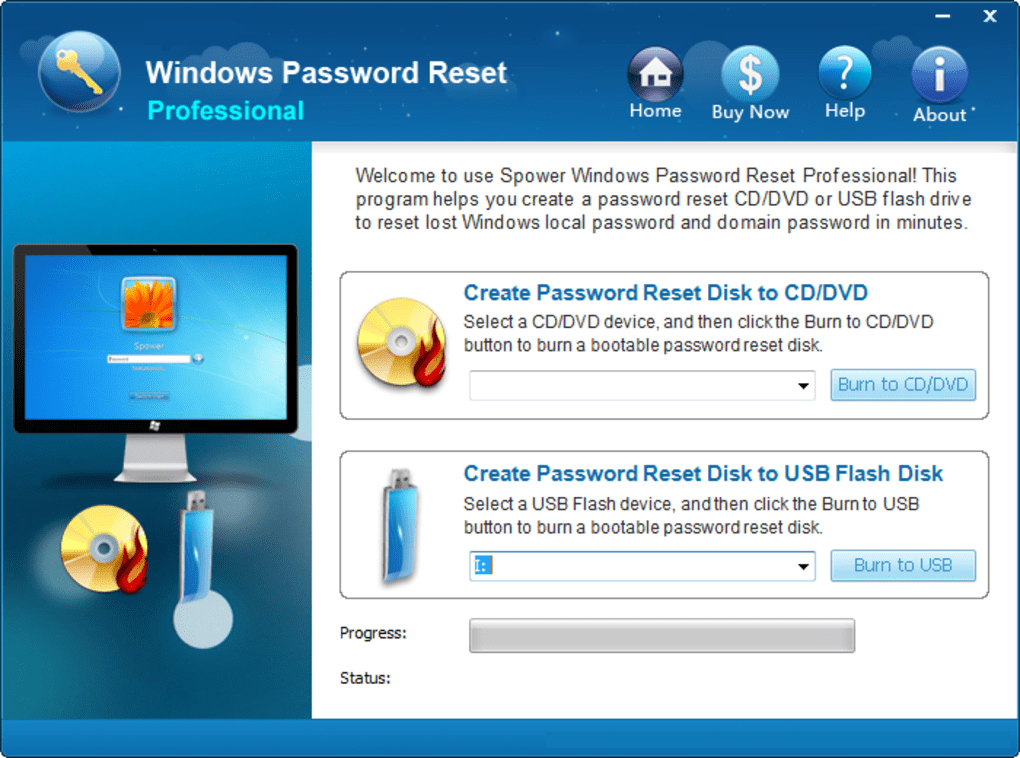
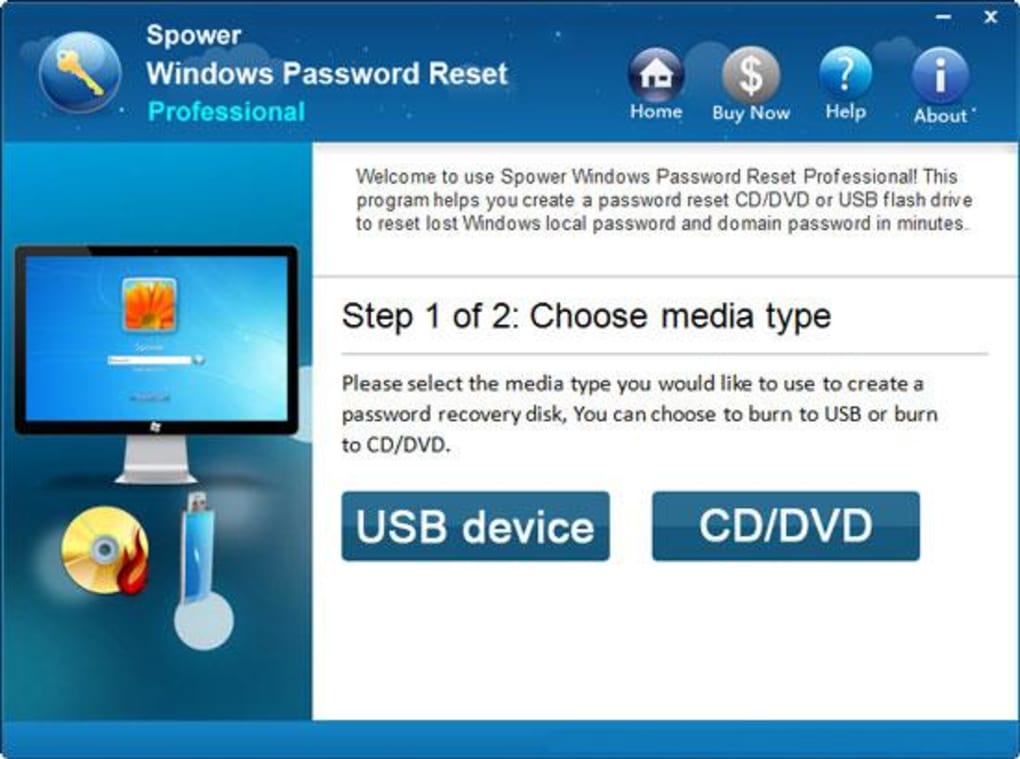
Using Windows Password Reset Professional is straightforward and doesn’t require advanced technical skills. The process begins with downloading the software from the official website. Once downloaded, you’ll receive an ISO file or a setup package that allows you to create a bootable USB drive or CD/DVD. The software supports both USB flash drives and optical discs, giving you flexibility based on your hardware.
To create the bootable media, simply run the installer on a working Windows PC. The tool provides an intuitive wizard that walks you through the process—select your device, confirm the target drive, and let the software write the necessary files. This step usually takes less than five minutes. Once the media is ready, insert it into the locked PC and restart the system. You’ll need to access the BIOS/UEFI settings (usually by pressing F2, F12, or Del during boot) to change the boot order so the system starts from the USB or CD/DVD.
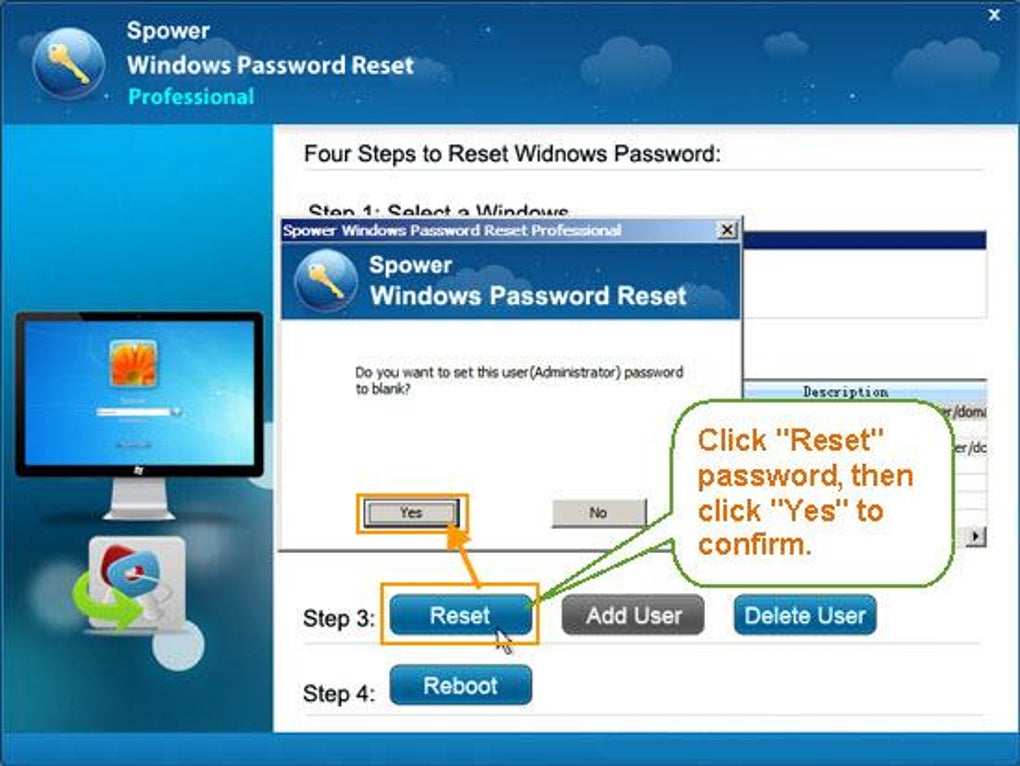
After booting from the media, the Windows Password Reset Professional interface appears. Here, you’ll see a list of all local user accounts on the system. Select the account you want to reset, then choose the "Reset Password" option. You can either leave the password blank (which allows login without a password) or set a new one. Confirm your changes, and the software will apply the update immediately. Once the process is complete, remove the bootable media, restart the system, and log in with your new password. The entire process typically takes under 10 minutes, making it one of the fastest and most efficient password recovery solutions available.
Compatibility and System Requirements
One of the major strengths of Windows Password Reset Professional is its extensive compatibility across various Windows platforms. It supports Windows 10, Windows 8, Windows 7, and Windows XP, ensuring that users with both modern and legacy systems can benefit from its features. This makes it an excellent choice for small businesses, schools, and IT departments managing diverse fleets of computers.
For hardware compatibility, the tool requires a standard PC with a USB port or CD/DVD drive. Most modern systems have USB ports, making USB-based booting the preferred method. The software is lightweight and does not require significant system resources, so it runs smoothly even on older machines with limited RAM or processing power. The bootable media (USB or CD/DVD) can be created on any Windows PC running Windows 7 or later, ensuring broad accessibility.
It’s important to note that this tool only resets local user accounts and does not work with Microsoft accounts (those linked to online Microsoft accounts). If your Windows account is tied to a Microsoft ID, you’ll need to use Microsoft’s official recovery methods instead. However, for standalone local accounts—common in corporate environments, older systems, or personal PCs—this software is a perfect fit. It also works on both 32-bit and 64-bit systems, ensuring maximum flexibility. Whether you're using a desktop, laptop, or older workstation, Windows Password Reset Professional is designed to work reliably across different hardware configurations.
Pros and Cons: Is This Tool Right for You?
- Pros:
- Fast password reset in under 10 minutes
- Supports Windows 10, 8, 7, and XP
- Non-destructive—no data loss
- Simple, intuitive interface for beginners
- Secure bootable media with encryption
- Works on both 32-bit and 64-bit systems
- Can reset admin, guest, and standard user passwords
- Cons:
- Does not support Microsoft accounts (online accounts)
- Requires physical access to the locked PC
- Not available for Linux or macOS systems
- Free version may have limited features
- Requires creating bootable media (USB/CD)
Frequently Asked Questions (FAQ)
- 1. Can I use Windows Password Reset Professional on a Microsoft account?
No, this tool only works with local Windows accounts. If your PC is signed in with a Microsoft account (e.g., outlook.com, hotmail.com), you’ll need to use Microsoft’s official password recovery methods instead.
- 2. Is the software safe to use? Will it damage my system?
Yes, it’s completely safe. The software operates in a secure, read-only environment and does not modify your hard drive or system files. It only resets the password hash, leaving your data and settings untouched.
- 3. Do I need a second computer to create the bootable media?
Yes, you’ll need a working Windows PC (Windows 7 or later) to create the USB or CD/DVD. Once created, you can use the media on any locked Windows machine.
- 4. Can I reset the password of an administrator account?
Absolutely. The tool allows you to reset administrator, guest, and standard user passwords with equal ease. This is especially useful in business or educational environments.
- 5. Is there a free version available?
While a limited free trial may be available, the full version typically requires a one-time purchase for full access. The trial often allows you to test the tool but may restrict certain features or include watermarks.
Conclusion: Regain Access to Your PC in Minutes
If you’ve ever been locked out of your Windows PC due to a forgotten password, Windows Password Reset Professional is the solution you’ve been waiting for. With its lightning-fast performance, broad compatibility, and user-friendly design, it eliminates the stress and time-consuming process of reinstalling Windows. Whether you're a home user, student, or IT professional, this tool offers a secure, reliable, and efficient way to recover access to your system—without losing a single file.
Download Windows Password Reset Professional today and take control of your password recovery needs. It’s a must-have tool for anyone who values time, data security, and peace of mind. Don’t let a forgotten password hold you back—get back to work, study, or browsing in just minutes.
Download Now – Secure, Fast, and Trusted Password Recovery for Windows 10, 8, 7, and XP.







